 SpeechStars
Aria 3D practice coach · Ages 2–12 · iOS
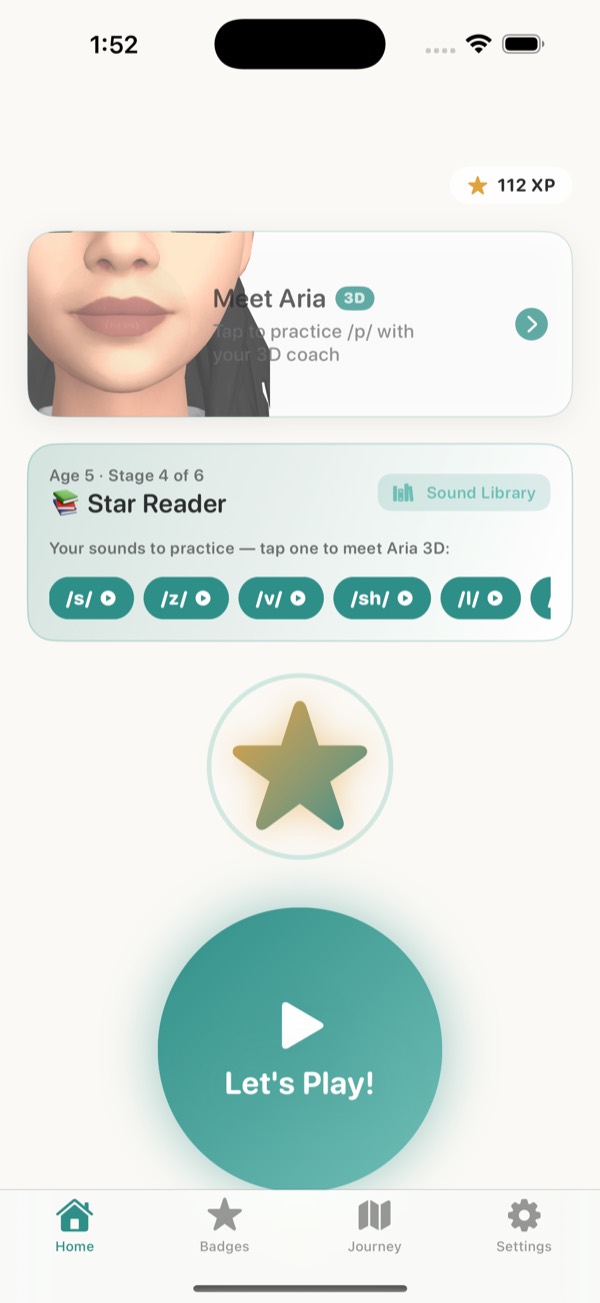
Meet Aria, your child's 3D speech practice coach.
Aria listens to each try, gives clear placement cues like "put your tongue behind your top teeth", then shows the mouth shape in 3D. Short daily practice at home, alongside your child's speech-language pathologist.
- No ads or trackers
- Audio never saved
- Free to start
Meet Aria
A coach who shows, listens and encourages
Shows the sound
Aria's 3D mouth demonstrates each sound step by step, so your child can see exactly what to copy.
Listens to each try
Speech recognition runs on your iPhone. Audio is never saved or uploaded.
Cheers them on
Gentle, specific feedback, plus XP, streaks and badges that make practice something kids ask for.
Why SpeechStars
Make every therapy session count with daily practice at home
With your therapist
- Expert guidance from a licensed SLP
- Assessment and goals set by a professional
- A personalised plan and home practice ideas
Recommended
Your therapist + SpeechStars at home
- Short daily practice between visits
- Feedback your child can see on every try
- Progress to share with your SLP
- Streaks and rewards that build the habit
Free to download, with 3 practice sessions in any 7 days.
Inside the app
Structured speech practice, not just flashcards
Live transcript
A banner shows what the app heard the moment your child speaks, so they know they were heard.
Mouth coaching
After a miss, a coaching card shows where the tongue and lips go, with a child-friendly cue.
Six practice levels
Isolation, syllable, word, phrase, sentence and conversation, advancing as your child succeeds.
Error types, not just right or wrong
Misses are grouped as substitution, omission, distortion or addition, and coaching adjusts to match.
Age-matched targets
Practice for toddlers, preschoolers and school-age children, matched to typical sound development.
Stella, XP and badges
Stella the Star celebrates wins and encourages after misses. XP, streaks and badges keep practice fun.
How practice works
Little and often, at home
- Set up as a parent. Create the account, give consent, and add your child's first name and age.
- Pick the sounds. Choose the sounds to work on, or use the ones your child's SLP suggests.
- Play for 5–10 minutes. Aria models a sound, your child tries the word, and practice adapts to their age.
- See progress. Check sounds improving in the app or on the web, and share a report with your SLP.
Sounds and ages
From first words to tricky R and S
- R
- S
- L
- TH
- CH
- SH
- K
- G
- F
- V
- + more
Ages 2–3
Playful first-word games and early vocabulary for toddlers and late talkers.
Ages 4–5
Sounds at the start, middle and end of words, with lots of picture play.
Ages 6–12
Word and sentence practice, with formats drawn from common speech-language pathology approaches.
For parents
Sessions that fit busy days, a parent area behind a parental gate, and a web dashboard to see XP, streaks, sounds mastered and accuracy trends as soon as a session ends.
Open the parent dashboard →For SLPs and schools
Home practice between sessions, with progress you can review. SLP Pro supports multiple children and progress tracking.
SpeechStars for professionals →Plans
Free to start
Free
3 practice sessions in any 7 days
- Aria's 3D sound demos
- Progress view and web dashboard
- No ads, ever
Family Pro
Unlimited practice for your family
- Everything in Free
- Practise every day
- Billed monthly
SLP Pro
For speech-language pathologists
- Multiple children
- Progress tracking
- Billed monthly
Subscriptions are purchased in the iOS app through the App Store. Prices are shown in the app before you subscribe, and new subscribers may be eligible for an introductory offer. Subscriptions renew automatically unless cancelled at least 24 hours before the end of the period; manage or cancel in your App Store account settings.
Questions parents ask
Who is SpeechStars for?
Children aged 2–12 practising speech sounds at home, with a parent or guardian setting up and managing the account. Practice adapts to your child's age, from playful toddler games to word and sentence practice for older kids.
Does SpeechStars replace speech therapy?
No. SpeechStars is a home practice tool. It is not a diagnostic tool and does not provide therapy or medical advice. It works best alongside a licensed speech-language pathologist (SLP), who can assign the sounds to practise. If you have concerns about your child's speech, talk to an SLP.
Which sounds can my child practise?
Speech sounds including R, S, L, TH, CH, SH, K, G, F, V and more, practised at the start, middle and end of words. Aria shows how each sound is made with her 3D mouth.
How much does it cost?
SpeechStars is free to download and includes 3 practice sessions in any 7 days. Optional Family Pro and SLP Pro subscriptions are billed monthly through the App Store; prices are shown in the app before you subscribe.
SpeechStars is a practice supplement, not a replacement for a licensed speech-language pathologist. It does not diagnose or treat any condition. If you have concerns about your child's speech, please talk to an SLP or your pediatrician.